June 9, 2013

Python - Nose: Running Concurrent Tests

TLDR:
To enable multiprocessing with N workers,
run nose with:

$ nosetests --processes=N

When writing tests in Python, I start with TestCase's derived from unittest.TestCase, and standard test discovery. When I need more complex test discovery/loading or output reports, I often use nose and its assortment of plugins as my test loader/runner.

One nice feature of nose is the multiprocess plugin. It allows you to run your tests suites concurrently rather than sequentially, spread across a number of worker processes. Running tests in parallel like this can potentially give you a large speedup in your test run times.

from the nose multiprocess docs:

"You can parallelize a test run across a configurable number of worker processes. While this can speed up CPU-bound test runs, it is mainly useful for IO-bound tests that spend most of their time waiting for data to arrive from someplace else and can benefit from parallelization."

Normally, you run tests from nose with:

$ nosetests

To run the same tests split across 4 processes (workers), you would just do:

$ nosetests --processes=4

Assuming your tests are properly isolated, everything should run normally, and you can benefit from a speedup on a multiprocessor machine.

However, Beware.

"Not all test suites will benefit from, or even operate correctly using, this plugin. For example, CPU-bound tests will run more slowly if you don't have multiple processors."
"But the biggest issue you will face is probably concurrency. Unless you have kept your tests as religiously pure unit tests, with no side-effects, no ordering issues, and no external dependencies, chances are you will experience odd, intermittent and unexplainable failures and errors when using this plugin. This doesn't necessarily mean the plugin is broken; it may mean that your test suite is not safe for concurrency."

April 1, 2013

Squeezelite - Headless Squeezebox Emulator

Use Squeezebox, without buying a Squeezebox...

Recently, Logitech discontinued most Squeezebox streaming music players. However, the media server is Open Source, so it looks like some form of Logitech Media Server (LMS) will live on, no matter what Logitech eventually does with it.

I've been a user of Squeezebox network music player since it was released by SlimDevices (SliMP3/SlimServer), and throughout the transfer to Logitech. I've owned 3 Squeezebox models over the years... currently enjoying the Squeezebox Touch, with music streamed from Logitech Media Server.

It works flawlessly for streaming my own music collection (FLAC/MP3/etc), and streaming radio (Pandora/Slacker/Sirius/etc), to my HiFi. I use the digital (S/PDIF) outputs, and sometimes the DAC/analog (RCA) outputs.

Now... with the release of Squeezelite, you can build your own Squeezebox, or use an existing computer/laptop with digital output as a Squeezebox.

Squeezelite is a cross-platform, headless, LMS client that supports playback synchronization, gapless playback, direct streaming, and playback at various sampling rates. It runs on Linux using ALSA audio output and other platforms using PortAudio. It is aimed at supporting high quality audio.

I gave Squeezelite 1.0 a try on Ubuntu 12.04, with S/PDIF optical output to my DAC. It worked like a charm!

Squeezelite info:
https://code.google.com/p/squeezelite/

Squeezelite download (precompiled binaries for x86/amd64/arm):
https://code.google.com/p/squeezelite/downloads/list

Enjoy the music.

March 28, 2013

Python - Re-tag FLAC Audio Files (Update Metadata)

I had a bunch of FLAC (.flac) audio files together in a directory. They are from various sources and their metadata (tags) were somewhat incomplete or incorrect.

I managed to manually get all of the files standardized in "%Artist% - %Title%.flac" file name format. However, What I really wanted was to clear their metadata and just save "Artist" and "Title" tags, pulled from file names.

I looked at a few audio tagging tools in the Ubuntu repos, and came up short finding something simple that covered my needs. (I use Audio Tag Tool for MP3's, but it has no FLAC file support.)

So, I figured the easiest way to get this done was a quick Python script.

I grabbed Mutagen, a Python module to handle audio metadata with FLAC support.

This is essentially the task I was looking to do:

#!/usr/bin/env python

import glob
import os
from mutagen.flac import FLAC

for filename in glob.glob('*.flac'):
    artist, title = os.path.splitext(filename)[0].split(' - ', 1)
    audio = FLAC(filename)
    audio.clear()
    audio['artist'] = artist
    audio['title'] = title
    audio.save()

It iterates over .flac files in the current directory, clearing the metadata and rewriting only the artist/title tags based on each file name.


I created a repository with a slightly more full-featured version, used to re-tag single FLAC files:
https://github.com/cgoldberg/audioscripts/blob/master/flac_retag.py

January 28, 2013

Python - verify a PNG file and get image dimensions

useful snippet for getting .png image dimensions without using an external imaging library.

#!/usr/bin/env python

import struct


def get_image_info(data):
    if is_png(data):
        w, h = struct.unpack('>LL', data[16:24])
        width = int(w)
        height = int(h)
    else:
        raise Exception('not a png image')
    return width, height


def is_png(data):
    return (data[:8] == '\211PNG\r\n\032\n'and (data[12:16] == 'IHDR'))


if __name__ == '__main__':
    with open('foo.png', 'rb') as f:
        data = f.read()

    print is_png(data)
    print get_image_info(data)

/headnods:
getimageinfo.py source, Portable_Network_Graphics (Wikipedia)

January 23, 2013

Python Unit Testing Tutorial (PyMOTW unittest update)

tl;dr: an update to PyMOTW for `unittest` in Python 3: Python Unit Testing Tutorial.


When I was learning programming in Python, Doug Hellmann's 'PyMOTW' (Python Module Of The Week) blog-series was one of the best resources to learn Python's standard library.

His series later culminated in the book: 'The Python Standard Library By Example'.

The PyMOTW entry on `unittest` was a great introduction to unit testing in Python. Since the PyMOTW version is getting quite outdated, I updated the `unittest` module entry.

This new version includes some edits and updates to the text, and all code and examples have been updated to reflect Python 3.3.

Have a look at my updated Python 3.3 version:
'Python Unit Testing Tutorial'


license: Creative Commons Attribution, Non-commercial, Share-alike 3.0


say no to bugs...

January 14, 2013

Python - "The Matrix" in your terminal

Linux console program in Python, that scrolls binary numbers vertically in your terminal. Inspired by the movie: The Matrix

a screenshot:

in action:

the Code:

https://gist.github.com/4530348

January 6, 2013

Python Testing - PhantomJS with Selenium WebDriver

PhantomJS is a headless WebKit with JavaScript API. It can be used for headless website testing.

PhantomJS has a lot of different uses. The interesting bit for me is to use PhantomJS as a lighter-weight replacement for a browser when running web acceptance tests. This enables faster testing, without a display or the overhead of full-browser startup/shutdown.

I write my web automation using Selenium WebDriver, in Python.

In future versions of PhantomJS, the GhostDriver component will be included.

GhostDriver is a pure JavaScript implementation of the WebDriver Wire Protocol for PhantomJS. It's a Remote WebDriver that uses PhantomJS as back-end.

So, Ghostdriver is the bridge we need to use Selenium WebDriver with Phantom.JS.

Since it is not available in the current PhantomJS release, you can try it yourself by compiling a special version of PhantomJS:

It wes pretty trvial to setup on Ubuntu (12.04):

$ sudo apt-get install build-essential chrpath git-core libssl-dev libfontconfig1-dev
$ git clone git://github.com/ariya/phantomjs.git
$ cd phantomjs
$ git checkout 1.8
$ ./build.sh
$ git remote add detro https://github.com/detro/phantomjs.git
$ git fetch detro && git checkout -b detro-ghostdriver-dev remotes/detro/ghostdriver-dev
$ ./build.sh

Then grab the `phantomjs` binary it produced (look inside `phantomjs/bin`). This is a self-contained executable, it can be moved to a different directory or another machine. Make sure it is located somewhere on your PATH, or declare it's location when creating your PhantomJS driver like the example below.


for these examples, `phantomjs` binary is located in same directory as test script.

Example: Python Using PhantomJS and Selenium WebDriver.

#!/usr/bin/env python

driver = webdriver.PhantomJS('./phantomjs')
# do webdriver stuff here
driver.quit()

Example: Python Unit Test Using PhantomJS and Selenium WebDriver.

#!/usr/bin/env python

import unittest
from selenium import webdriver


class TestUbuntuHomepage(unittest.TestCase):
    
    def setUp(self):
        self.driver = webdriver.PhantomJS('./phantomjs')
        
    def testTitle(self):
        self.driver.get('http://www.ubuntu.com/')
        self.assertIn('Ubuntu', self.driver.title)
        
    def tearDown(self):
        self.driver.quit()


if __name__ == '__main__':
    unittest.main(verbosity=2)

resources:

October 13, 2012

What is the Best Way To Learn Selenium?

(a small rant on asking answerable questions)

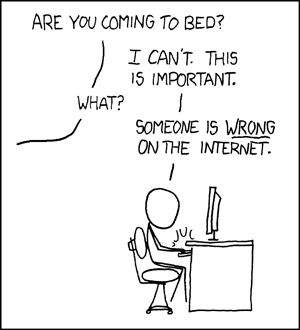
xkcd comic 386

At a certain online QA/Testing Forum I regularly visit, the Selenium forum is one of the most active.

I continuously see newbie questions like: "How I do I learn Selenium?", with little or no other context given.

Then, helpful responders chime in with tangentially related answers. That's about as good as you can do, based on the lack of information given in the original post. This happens often and wastes significant brain activity in the responders, while generally giving no value to the OP or forum community.

So first... a clarification:

Selenium WebDriver is a system for automating browser interaction. It is accessed via programming library/API. If you want to use it without touching code, it is not possible (record/replay/export-madness via IDE aside). You can abstract away most of the programming aspects with higher level frameworks, but at that point you are no longer really dealing with Selenium anymore.


Here was my response to a recent forum example:

Question asked:
"Best way to start learning Selenium - I would like to know what is the best practice to start with Selenium for non programmers. Is there any books or ebooks?"

The responses compelled me to chime in with a rant:


To anyone on this thread looking for the "Best way to start learning Selenium":

Think of it this way:

Selenium (WebDriver) provides language bindings and a similar API for several programming languages. It gives you a programming library that can manipulate a browser and web elements/controls.

You can't "learn" a library for a programming language if you don't know the language itself (syntax, idioms, etc).

So the question shouldn't be: "How do I learn Selenium?", with no other information or context given.

Selenium should be used with either: the supported language that you are most comfortable with, or the language of the system under test you are working against.

If you are looking for information, be specific about what you want to learn. General understanding of the components that make up Selenium is great, but really, using the API's from any language is the best way to learn. If you specify a programming language along with your question, at least answers can be directed towards frameworks, code samples, documentation, tutorials, etc, that are *relevant* to you.

Diving into the main Selenium docs can be confusing at first, as it covers things from a general level... mixing in code samples from various languages.

So, my question to you: Which programming language are you going to use Selenium with? If you define that, someone can surely help point you in the right direction.

How are your programming skills? Which language do you want to learn in? If you know several, switching is trivial down the line, as the API's are similar between languages.

If you don't have skills in any Selenium supported programming language (java, c#, python, ruby, php, etc), then learn one of those before you even touch Selenium. If you have a language in mind, please phrase your question using that in context.

happy hacking,

-Corey

p.s. now go RTFM: http://seleniumhq.org/docs/


rant over.